Teamwork in Webflow Projects
Books with white covers can also scare you before you even pick the book up off the shelf.


Working with teams in Webflow just got a whole lot smoother.
In the world of websites, collaboration is especially important. Websites are a focal point for so many different types of contributors and stakeholders. Developers, designers, marketing teams, content strategists — it seems like everyone has a role to play in the creation and evolution of a website.
Here’s a quick list of the improvements Webflow launched today, with more detail on each below:
- Edit content in the Designer while your teammate builds
- Smooth handover between teammates in the Designer
- Live syncing of content changes between teammate sessions
- Improved visibility of where your teammates are working
Edit content in the Designer while your teammate builds
Being able to make progress on projects in parallel to your teammates is a crucial element of collaboration — essentially enabling you to move twice as fast.

Now, when you open the Designer and another teammate is already working in the project, you (and all your other teammates) won’t be locked out — you’ll be able to edit content while they’re building.
Here’s what “editing content” includes:
- Edit copy and images. Edit text and images right on the canvas.
- Edit CMS content. Add, edit, and publish new Collection Items in the Collections panel.
- Manage ecommerce. Add, edit, and publish new products, categories, and discounts.
- Edit SEO and Open Graph metadata. Tweak SEO metadata and Open Graph details.
- Upload, download, and organize assets. Add new assets, grab the links to existing assets, and manage image alt attributes.
- Import and export CMS content and products. Upload content and ecommerce products via CSV, or download it to migrate content between sites.
Politely hand over control from one teammate to another
Now that multiple people can be inside the Designer together, Webflow also introduced a new workflow that lets teammates politely request control of the Designer from one another. Once a teammate requests control of the Designer, the teammate with design control has 30 seconds to accept or deny the request.
Once you grant control to their teammate, you can stay in the Designer and continue to edit content, as detailed above — but you’re no longer able to edit styles or build new pages until you request and take control again. This new handover flow also ensures you won’t lose work when opening the Designer across multiple devices, or in the case that a teammate forgets to close their Designer session before leaving their desk.
With multiple teammates working at the same time in the same project comes a greater need for visibility to ensure nobody’s stepping on each other’s toes. On this front, we’ve made a couple big updates that make collaborating smoother.
Live syncing of content changes between teammate sessions

For starters, all content changes you or your teammates make now immediately sync to all live sessions. This means if you’re changing the homepage layout and your teammate hops in and changes the page headline, you’ll immediately see that change in your session of the Designer. Changes that teammates make in the Editor will also sync live to all open Designer sessions.
See where other teammates are working in the project
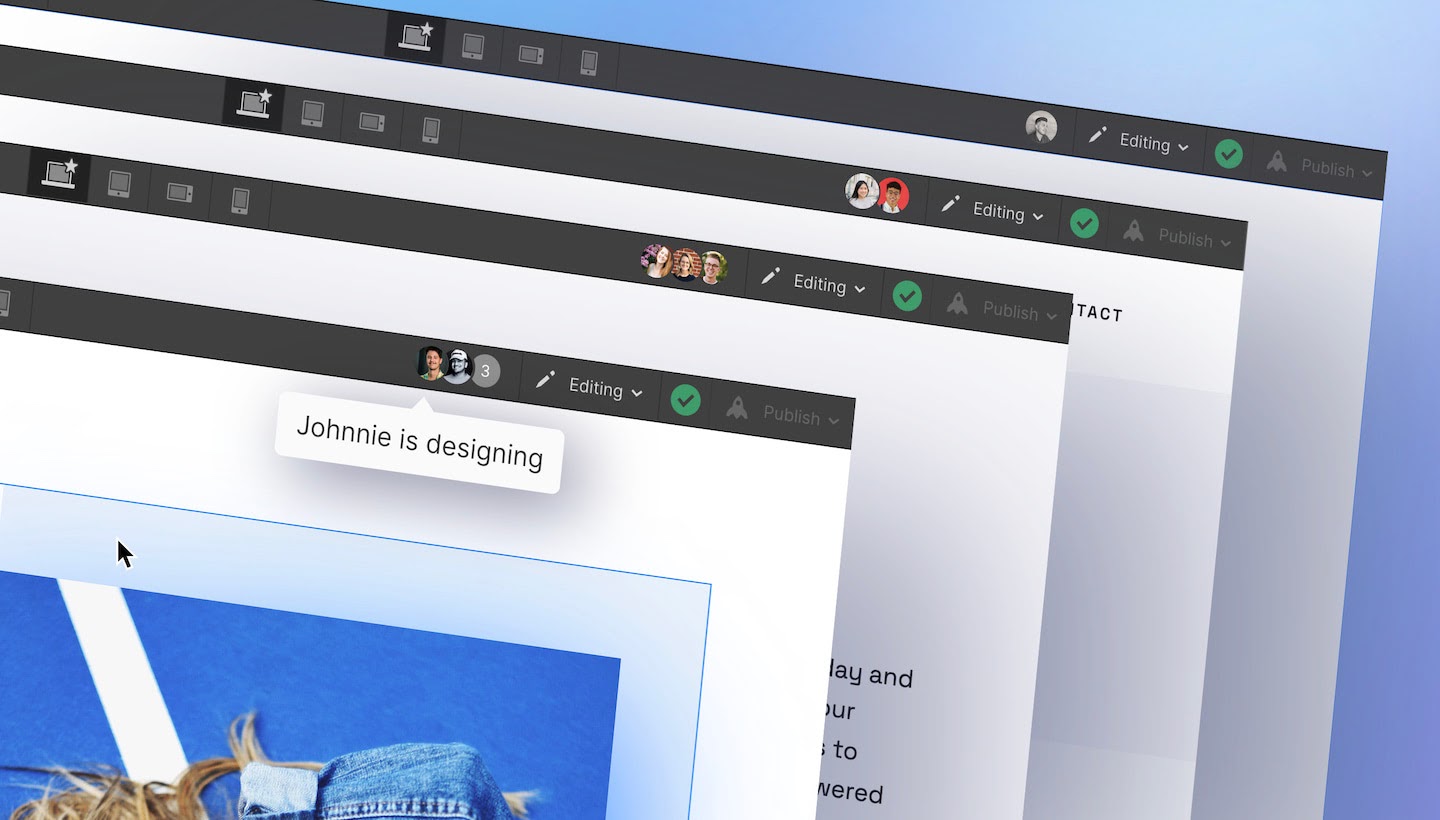
The last update we’re making allows you to better see where your teammates are working across both the Designer and the Editor. Now, at the top of the Designer, you can see who else is working in the project, and most crucially, who is currently working on the same page as you. Having this visibility and transparency provides greater confidence when multiple teammates are involved in making changes.

Share this story on:
Popular Blogs
.webp)
%20(1).png)